FlowCast 0.3.0 adds presentations and finds quoted verses
FlowCast finds more of the verses that the preacher quotes. You can also make presentations and import ProPresenter 7 files.
New
- FlowCast finds more of the verses that the preacher quotes. It hears verses in normal sermon speech, and after words such as “the Bible says” or “it is written”.
- Detect passages is on by default, and the Detected panel shows.
- The Detected panel shows how close each verse is in meaning, and it marks strong matches. You can right-click a verse to send it live, show it in the preview, or add it to the schedule.
- Detection and search by meaning use verse data that comes with FlowCast, for KJV, NKJV, NIV, ESV, NLT, and AMPC.
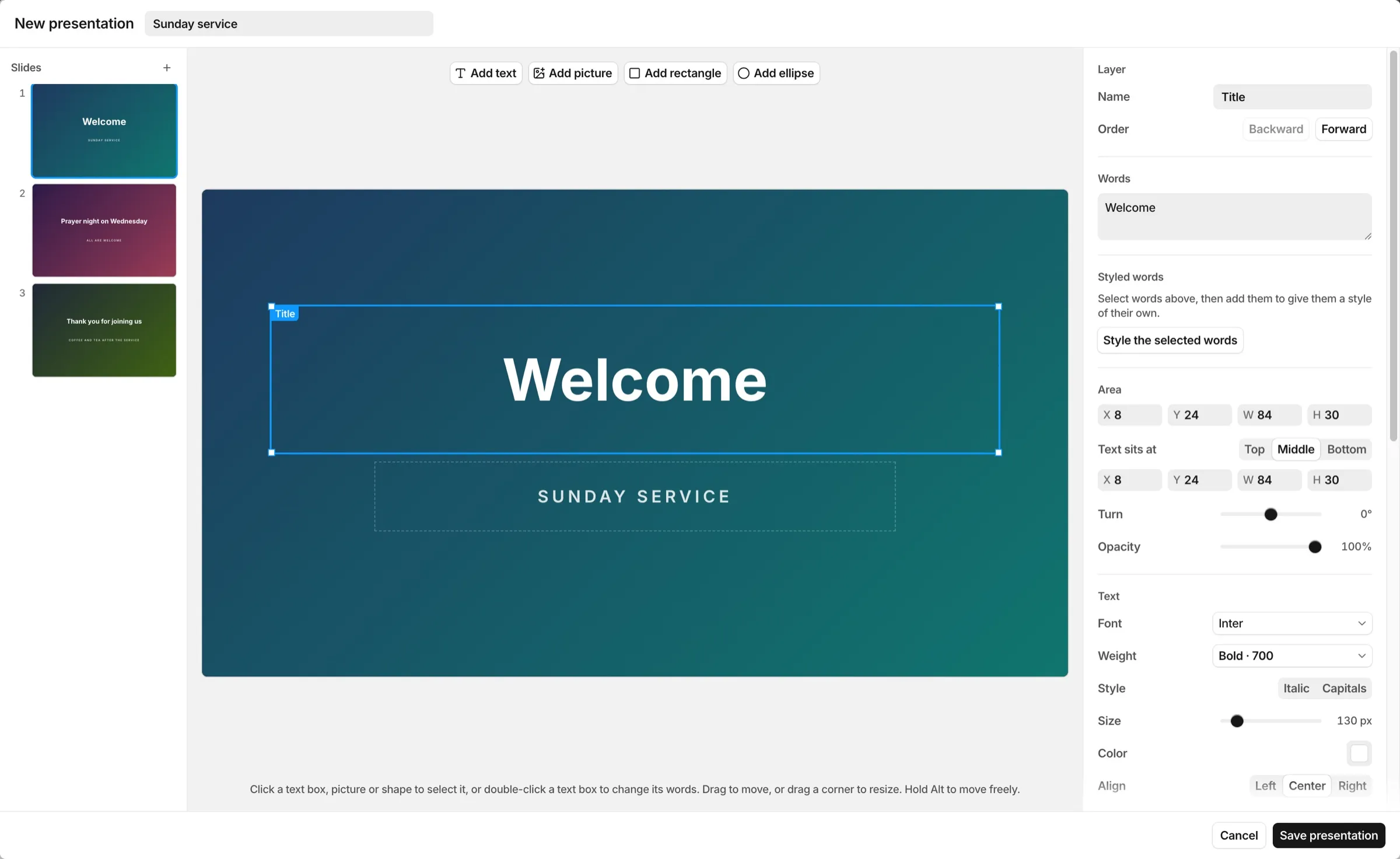
- You can make presentations with text boxes, pictures, shapes, and backgrounds, and add them to the schedule.
- You can import ProPresenter 7 files (
.proand.probundle). Scripture slides become themes, and FlowCast adds the media to the library. - You can export themes and presentations to a
.flowcastthemefile, and import them on a different computer. - FlowCast downloads the Google Fonts that your slides use, and keeps them for use without an internet connection.
- Text can have a shadow, a glow, an outline, or a picture inside the letters. You can give a word its own style, and use bullet and numbered lists.
- You can change the colors of a picture, blur it, and give it round corners.
- Themes can have layers behind and in front of the verse.
- You can type in the Bible version menu to find a version. You can pin the versions that you use most, and they show at the top of the menu.
- FlowCast completes book names when you type. When it completes a book name, it goes to chapter 1, verse 1, and you can type over it.
- The app shows the FlowCast name and icon everywhere.
Fixed
- A reference without a verse number does not show an incorrect verse.
- A scripture item in the schedule opens its verses in the scripture browser.
Download
The files of FlowCast 0.3.0 are on the 0.3.0 release page. To get the newest version, go to the latest release.
If you have FlowCast 0.2.0 or later, click Check for Updates… in the FlowCast menu (Mac) or the Help menu (Windows).